
How to Choose a Laptop for College: Specs, Budgets and Mac vs Windows vs Chromebook
What students actually need, by major and budget.
Guides are educational. Always confirm requirements with official sources.
In brief: For most students, look for a lightweight laptop with all-day battery life, 16 GB of memory, a solid-state drive of at least 512 GB and a comfortable keyboard. Check your department's software requirements first: engineering, architecture and some data science courses need Windows or more powerful hardware.
Recommended specs
| Component | Minimum | Recommended |
|---|---|---|
| Memory (RAM) | 8 GB | 16 GB |
| Storage | 256 GB SSD | 512 GB SSD or more |
| Battery | 8 hours real use | 10 hours or more |
| Weight | Under 4 lb (1.8 kg) | Around 3 lb (1.4 kg) |
| Screen | 13 inches, full HD | 13 to 15 inches, higher resolution |
Mac vs Windows vs Chromebook
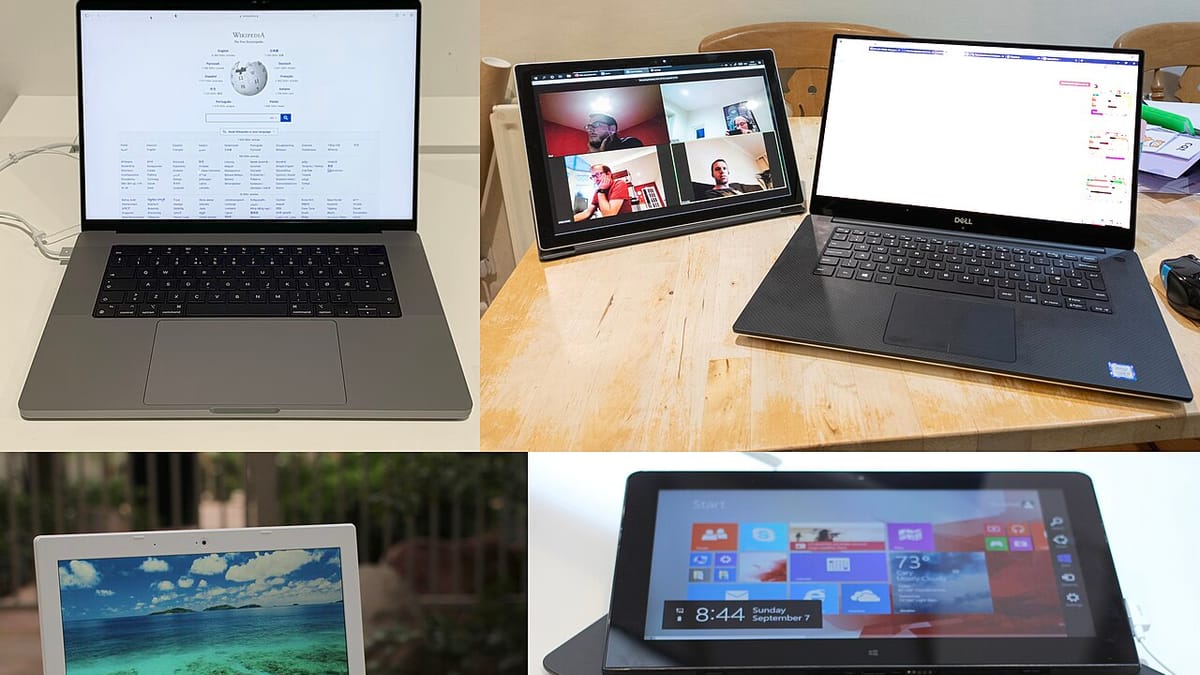
| MacBook | Windows laptop | Chromebook | |
|---|---|---|---|
| Strengths | Battery life, build quality, creative apps | Widest software compatibility, many price points | Low cost, simple, secure |
| Weaknesses | Higher price, some engineering software unavailable | Quality varies by model | Limited offline and specialist software |
| Best for | Most majors, design, media | Engineering, business, gaming | Writing, web research, light use |
By major
- Humanities and social sciences: any reliable light laptop; prioritize keyboard and battery.
- Business: Windows or Mac; check Excel requirements, as some finance courses prefer Windows Excel.
- Engineering and architecture: usually Windows with a strong processor and dedicated graphics for CAD software.
- Computer science and data: 16 GB or more RAM; Mac, Windows or Linux all work.
- Design and video: high-quality display and powerful processor.
Saving money
- Check student and education discounts from manufacturers.
- Consider certified refurbished models with warranties.
- Your university may offer free software licenses, such as Microsoft 365.
- Buy during back-to-school sales.
Next step: Protect your new laptop with our guides to strong passwords, backups and keeping it fast.
Frequently Asked Questions
Is 8 GB of RAM enough for college?
It works for basic tasks, but 16 GB gives more headroom for multitasking and keeps the laptop useful for longer.
Is a Chromebook good for college?
For writing, research and web apps, yes. Check whether your courses require software that does not run on ChromeOS.