

Health & FitnessHow-To
How to Improve Your Posture at a Desk
Set up your workstation and build habits that reduce neck and back strain.
This guide is general information. For medical, legal, financial or safety decisions, consult a qualified professional.
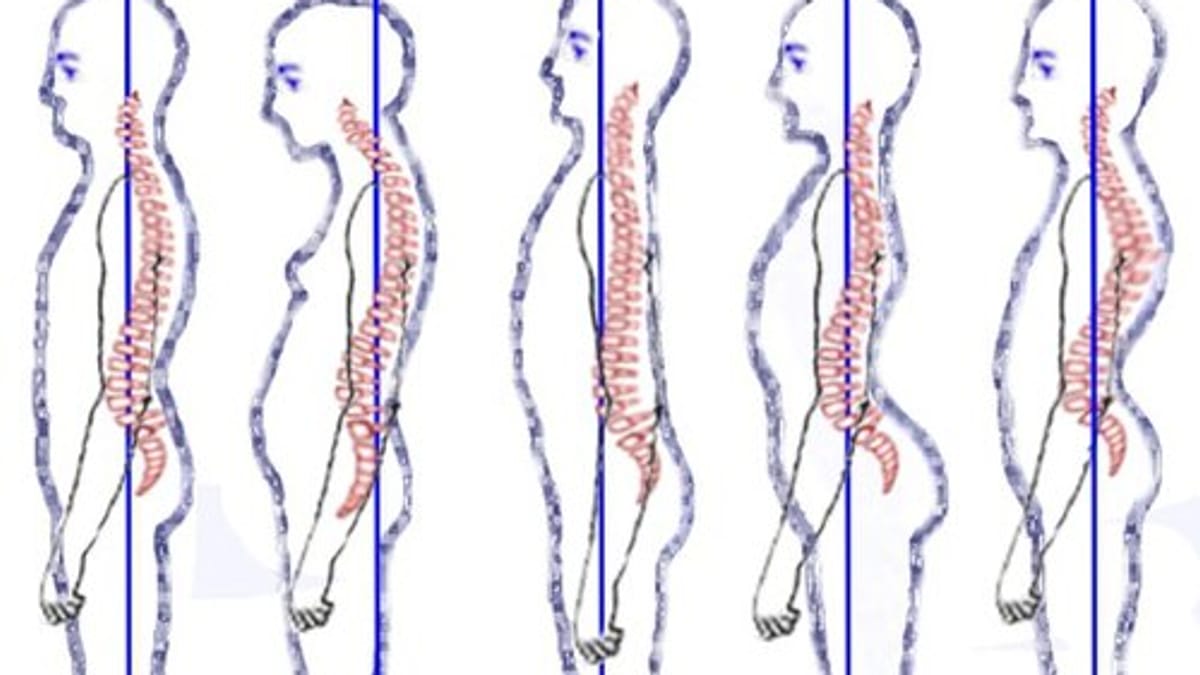
In brief: Spending long hours at a desk can contribute to neck, shoulder and back discomfort. There is no single perfect posture; the key is a comfortable setup and changing position often.
Steps
- Adjust your chair. Set the height so your feet rest flat on the floor and your knees are about level with your hips. Use a cushion or footrest if needed.
- Support your lower back. Sit back in the chair so it supports the natural curve of your lower back.
- Position your screen. Place the top of the screen at or slightly below eye level, about an arm's length away.
- Place keyboard and mouse close. Keep elbows close to your body and bent at about 90 degrees, with wrists straight.
- Raise your laptop. Use a stand with a separate keyboard and mouse so you are not looking down for hours.
- Move every 30 to 60 minutes. Stand, stretch or walk for a few minutes. Movement matters more than holding a perfect position.
- Strengthen supporting muscles. Exercises for the back, core and shoulders help you stay comfortable.
Warnings
- See a doctor or physical therapist for persistent pain, numbness or tingling.
Frequently Asked Questions
Are standing desks better?
They let you change position, which helps, but standing all day has its own drawbacks. Alternate sitting and standing.